ZOV4 Sound Design Overview
ZOV4 arrives with a reputation for visual spectacle, but its sound design is the true scene stealer. From the first menu hum to the final explosion, the audio engine builds a world that feels physically present. The developers prioritized clarity, depth, and responsiveness over simple loudness. Every sound source has a purpose, and every mix decision supports player feedback. This short review examines why ZOV4's sound design deserves the spotlight, how it works under the hood, and what settings help you hear it best. The result is an audio experience that transforms ordinary gameplay into a tense, tactile journey.
The game uses a hybrid pipeline: pre-recorded high-fidelity samples, procedural layers, and real-time DSP. This combination lets the engine react to player state, weather, and geometry without sounding artificial. Footsteps on gravel differ from footsteps on wet concrete, and those differences matter during stealth. Gunfire echoes according to room size, while distant battles carry a muffled weight that hints at danger. ZOV4 does not simply play sounds; it simulates an acoustic environment. That simulation is the core reason the sound design steals the scene.
In practical terms, ZOV4's audio is not a background feature. It is a gameplay system. Enemy positions, reload timing, and environmental hazards are communicated through sound cues. Players who ignore audio are at a disadvantage. The mix rewards attention. This review covers weapons, ambience, spatialization, music, voice, technical performance, and recommended settings. It also notes a few quirks that keep the experience from perfection. Still, the overall achievement is remarkable, and it sets a new benchmark for immersive audio in its genre.
Weapon Audio: From Clicks to Booms
Weapon audio in ZOV4 is layered with obsessive detail. Each firearm has a mechanical signature: the metallic click of a safety, the spring tension of a magazine, the hollow thud of a dry fire. When you pull the trigger, the sound splits into transient, body, and tail. The transient is the sharp crack that cuts through the mix. The body is the low-frequency punch that you feel in your chest. The tail is the reverb that tells you whether you are indoors, in a canyon, or in an open field. This three-part structure makes every shot readable and satisfying.
Different ammo types change the sound profile. Subsonic rounds produce a softer thump with less high-frequency snap. Armor-piercing rounds add a metallic ring on impact. Shotgun shells have a distinct bass-heavy boom followed by the rattle of pellets. Sniper rifles deliver a delayed echo that rolls across the map, giving away your position if you are careless. The game even models the difference between a fully loaded magazine and one that is nearly empty. The spring tension changes, and the audio reflects that change. These small details accumulate into a believable weapon system.
Reload sounds are equally important. ZOV4 uses a combination of foley and procedural timing. If you cancel a reload, the sound stops at the correct mechanical point. If you sprint while reloading, the audio includes cloth rustle and breathing. The mix ducks other sounds slightly during critical reload moments, ensuring you hear the magazine click. This ducking is subtle, but it helps players time their actions. In multiplayer, hearing an enemy reload can be the difference between victory and defeat. ZOV4 turns that moment into a tactical cue.
- Transient: Sharp crack for immediate feedback.
- Body: Low-frequency punch for weight and power.
- Tail: Reverb and echo for spatial context.
- Mechanics: Safety, magazine, bolt, and dry fire details.
- Ammo variation: Subsonic, armor-piercing, and shotgun profiles.
Environmental Soundscapes and Ambience
The environments in ZOV4 are alive with sound. Wind moves through trees with a rustle that changes based on tree density. Rain hits metal roofs, wooden crates, and puddles with different timbres. Thunder is not a single sample; it is a procedural event that reacts to distance and terrain. Birds and insects create a natural bed that masks your movement, but they also go silent when predators or players approach. That silence is a warning. The ambience is not wallpaper; it is a dynamic system that responds to your presence.
Interior spaces have their own acoustic identities. A small concrete room produces short, bright reflections. A large warehouse creates a long, dark reverb. A cave adds a damp, filtered tail that feels claustrophobic. The game uses ray-traced audio occlusion to simulate walls blocking sound. If an enemy is behind a thick wall, their footsteps become muffled. If they are behind a thin door, you hear a clear but softened version. This occlusion is not perfect, but it is convincing enough to make you trust your ears.
Weather also affects the mix. During a storm, high-frequency details are reduced, and low-frequency rumble increases. This forces players to rely more on visual cues, but it also creates tension. Fog dampens distant sounds, making the world feel smaller. Snow crunch is crisp and loud, so moving quietly requires slower steps. ZOV4 uses these environmental modifiers to keep every match feeling different. The soundscape is a character in itself, and it often steals attention from the graphics.
Spatial Audio and HRTF Implementation
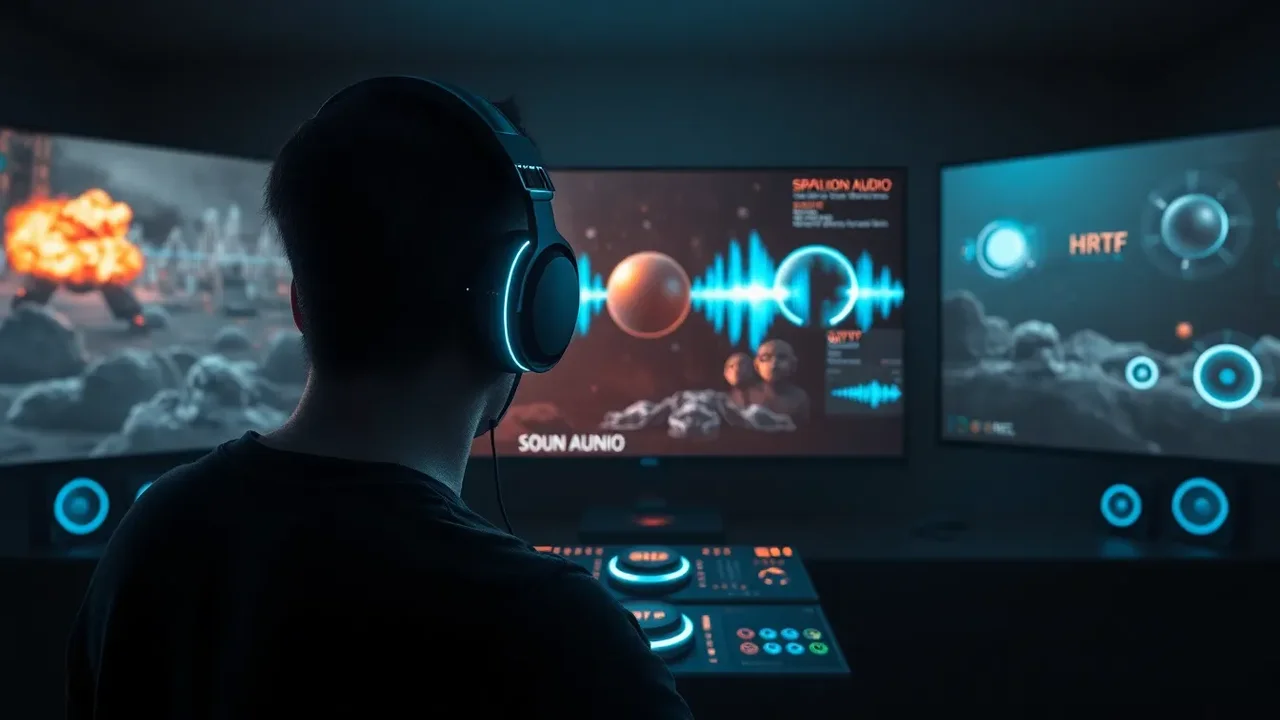
Spatial audio is where ZOV4 truly shines. The game supports binaural rendering with head-related transfer functions, or HRTF. When you wear headphones, sounds are placed around your head with impressive accuracy. You can hear a bullet whiz past your left ear, then a casing drop to your right. The elevation cues are less precise than horizontal cues, but they are still useful. A helicopter hovering above sounds genuinely above, not just louder. This spatial clarity makes the audio feel three-dimensional without requiring a full surround system.
The engine uses object-based audio rather than channel-based mixing. Each sound source is an object with position, velocity, and directivity. The mixer calculates distance attenuation, air absorption, and occlusion in real time. As a result, moving sounds pan smoothly and naturally. There is no jarring switch between left and right channels. The transition is continuous. This is especially noticeable when an enemy runs in a circle around you. The footsteps track their path with minimal distortion, allowing you to predict their next move.
For speakers, ZOV4 offers virtual surround and discrete 5.1 or 7.1 output. The virtual surround is good, but it cannot match the precision of headphones. The game includes a calibration tool that tests your speaker angles and delays. It also offers a headphone profile selector for common models. These options are not just gimmicks; they meaningfully improve localization. If you have ever struggled to tell front from rear in other games, ZOV4's spatial audio will feel like a revelation. It is the single most important reason the sound design steals the scene.
Dynamic Range and Mixing Philosophy
ZOV4 adopts a wide dynamic range by default. Quiet sounds are very quiet, and loud sounds are very loud. This is realistic, but it can be problematic in noisy environments. The game offers several dynamic range presets: Night, Medium, High, and Cinema. Night mode compresses the range heavily so you can hear footsteps without waking neighbors. Cinema mode preserves the full impact of explosions and gunfire. The default is Medium, which balances clarity and punch. Players should experiment because the right setting depends on their hardware and listening environment.
The mix prioritizes gameplay-critical sounds. Enemy footsteps, reloads, and voice lines are boosted slightly above ambience. Music ducks during dialogue and tense moments. Explosions have a ducking effect that briefly lowers other sounds to emphasize the blast. This ducking is not overdone; it feels like a natural response. The mix also uses sidechain compression to keep the low end from becoming muddy. When multiple explosions occur, the bass does not turn into a wall of noise. Instead, each blast retains its own character.
One controversial choice is the lack of a dedicated dialogue boost slider. Dialogue is generally clear, but in chaotic scenes it can be overshadowed by gunfire. The developers added a voice priority option in a patch, which helps. Still, players who want fine control may find the options limited. On the other hand, the default mix is so well-crafted that most users will not need to adjust much. The dynamic range and mixing philosophy show that ZOV4 trusts its players to listen carefully, and that trust pays off.
Adaptive Music and Emotional Scoring
The music in ZOV4 is adaptive and layered. It responds to player health, enemy proximity, and objective status. When you are safe, the score is ambient and sparse. When enemies detect you, percussion enters. When your health drops, strings swell and dissonance increases. When you complete an objective, the music resolves into a brief triumphant motif. This system is not new, but ZOV4 executes it with unusual restraint. The music never overwhelms the sound effects. Instead, it supports them, filling emotional gaps without masking critical audio cues.
The composers recorded live instruments and then processed them into stems. Each stem can be mixed in real time based on gameplay parameters. For example, the low brass stem fades in when a boss appears. The high strings fade out when you hide. The transitions are seamless, with no abrupt cuts. The game also uses musical stingers for discoveries and kills, but these are optional. Players can disable stingers if they prefer a more natural soundscape. This flexibility is welcome, as it lets you tailor the experience.
In quiet exploration, the music becomes almost subliminal. A single piano note might repeat every few seconds, creating a sense of loneliness. In combat, the tempo increases, but the mix keeps the music behind the effects. This hierarchy is crucial. Many games let music dominate, but ZOV4 understands that sound design is about information first, emotion second. The score is beautiful on its own, but its real genius is how it serves the scene without stealing focus from the sounds that matter.
Voice Acting and Dialogue Clarity
Voice acting in ZOV4 is strong, with performances that range from weary to manic. The dialogue is recorded with multiple layers: close mic for intimacy, room mic for space, and a processed radio version for communications. The game switches between these layers based on context. A face-to-face conversation uses the close mic, while a radio call uses a filtered, narrow-band version. This attention to acoustic context makes conversations feel grounded. You can hear the difference between someone shouting in a tunnel and someone whispering in a closet.
Dialogue is also spatialized. If an NPC is behind you, their voice comes from behind. If they are on a balcony, their voice has a slight elevation cue. This is rare in games, and it adds a lot of immersion. The lip sync is decent, but the audio is the star. The game includes subtitles with speaker names and sound effect descriptions, which is a great accessibility feature. You can also adjust subtitle size and background opacity. These options show that the developers care about players who cannot rely on audio alone.
One minor issue is that some enemy barks repeat too often. Hearing the same taunt after every kill can become grating. The developers added a frequency slider in a patch, which reduces repetition. It is not a perfect fix, but it helps. Overall, the voice work supports the sound design rather than competing with it. The dialogue is clear, characterful, and spatially believable. It contributes to the feeling that ZOV4's world is inhabited by real people, not just targets.
Foley and Material Detail
Foley is the art of everyday sounds, and ZOV4 excels at it. Walking through a puddle produces a splash with individual droplet tails. Crawling through grass creates a continuous rustle that changes with speed. Opening a metal door yields a creak, a latch click, and a subtle resonance. Climbing a ladder produces metallic rings that vary by rung. These sounds are not random; they are tied to animation events. The result is a tactile world where every interaction has an audible consequence.
The game uses a material system that defines how surfaces sound. There are over thirty material types, including wood, concrete, metal, fabric, water, mud, snow, and glass. Each material has multiple variations for different actions: step, jump, land, slide, and impact. Bullets hitting these materials produce distinct sounds. A bullet hitting wood splinters; a bullet hitting metal ricochets; a bullet hitting water makes a sharp plop. This variety keeps combat readable and satisfying. You can often identify an enemy's location by the sound of their footsteps on a specific surface.
Foley also extends to inventory and UI. Picking up ammo produces a satisfying clink. Healing uses a rustle of bandages and a soft sigh. Even menu navigation has subtle clicks and whooshes. These details are small, but they add up. They make the game feel polished and responsive. In a medium where sound is often an afterthought, ZOV4's foley work is a reminder that audio can be as expressive as visuals. It is one of the many reasons the sound design steals the scene.
Technical Performance and Codecs
ZOV4 uses a custom audio engine that supports up to 128 simultaneous voices. It prioritizes voices based on distance, loudness, and gameplay importance. Distant ambient sounds are culled or simplified to save CPU. The engine also supports real-time convolution reverb, which is expensive but produces realistic spaces. On PC, the game offers several audio quality presets. Low reduces reverb and voice count. High enables full convolution and HRTF. Ultra adds higher sample rates and more occlusion rays. The performance impact is noticeable but manageable on modern hardware.
The game supports multiple codecs for compressed audio, including Opus and Vorbis. Most sounds are stored as high-quality compressed files, but critical sounds like weapons and footsteps use uncompressed PCM. This hybrid approach balances disk space and fidelity. The audio is mixed at 48 kHz and supports 24-bit output. Latency is low, which is important for competitive play. The engine also includes a calibration tool for audio delay, so you can sync sound with video if your setup has lag. These technical details may seem dry, but they are the foundation of the immersive experience.
On consoles, the game uses platform-specific spatial audio APIs. On PlayStation, it supports Tempest 3D Audio. On Xbox, it supports Windows Sonic and Dolby Atmos. The implementation is generally good, though the HRTF profile is fixed on consoles. PC players have more options, including custom HRTF profiles. The game also supports hot-plugging audio devices without crashing. This is a small but appreciated feature. Overall, the technical performance is robust, and it rarely gets in the way of the sound design. When it works, you forget the technology and just hear the world.
Comparison Table: ZOV4 vs. Genre Standards
To understand how ZOV4's sound design steals the scene, it helps to compare it with other games in the genre. The following table summarizes key audio features and how ZOV4 performs relative to typical standards. This is not an exhaustive analysis, but it highlights where ZOV4 excels and where it merely meets expectations.
| Feature | ZOV4 | Genre Standard |
| HRTF spatial audio | Excellent, with custom profiles | Basic or absent |
| Dynamic range presets | Four presets, well-tuned | One or two presets |
| Occlusion and obstruction | Ray-traced, real-time | Simple distance filters |
| Weapon layering | Transient, body, tail, mechanics | Single sample with reverb |
| Adaptive music | Layered stems, seamless | Looping tracks with stingers |
| Foley material variety | 30+ materials, multiple actions | 10-15 materials |
| Accessibility options | Subtitles, visual cues, sliders | Limited |
| Performance impact | Moderate, scalable | Low to high |
The table shows that ZOV4 is not just keeping up; it is setting the pace. The HRTF and occlusion systems are particularly impressive. The dynamic range presets are thoughtful. The weapon layering is best-in-class. The only area where ZOV4 is average is performance impact, but even there it offers scalability. This comparison reinforces why the sound design stands out. It is not a single feature; it is a holistic approach that elevates every other element of the game.
Practical Settings for Headphones
To get the most out of ZOV4's sound design, start with headphones. Open the audio settings and select the headphone output. Enable HRTF and choose the profile closest to your headphone model. If your model is not listed, use the generic profile. Set dynamic range to Medium or High, depending on your environment. If you are in a noisy room, Night mode is better. Turn off virtual surround if you are using HRTF, as they can conflict. Enable the audio calibration tool and follow the prompts to adjust delay and volume.
Next, adjust the mix. Set master volume to about 70 percent. Set effects to 100 percent. Set music to 60 percent. Set dialogue to 80 percent. These are starting points, not rules. Play a training match and listen for footsteps. If they are too quiet, raise effects or lower music. If gunshots are painfully loud, lower master or switch to Night mode. The goal is to hear critical cues without discomfort. ZOV4's mix is forgiving, but small adjustments can make a big difference.
Finally, consider your headphone's frequency response. Headphones with boosted bass can make explosions overwhelming. You can use an equalizer to reduce frequencies below 60 Hz. Headphones with recessed mids can make footsteps harder to hear. Boost around 2-4 kHz for clarity. If you have a DAC or amp, use it. The game's audio is clean enough to benefit from good hardware. With the right settings, ZOV4's spatial audio becomes almost magical. You will hear details you never noticed before, and the scene will truly be stolen by sound.
Practical Settings for Speakers
For speaker setups, the approach changes. If you have a 5.1 or 7.1 system, select the correct speaker configuration in the game. Run the calibration tool to set distances and levels. Place your speakers according to the recommended angles. If you have a soundbar, enable virtual surround only if it supports it well. Otherwise, use stereo. Set dynamic range to Cinema for the full experience. If you live in an apartment, Night mode is your friend. The goal is to create a balanced sound field where effects come from the right directions.
Adjust the subwoofer carefully. ZOV4's low-frequency effects are powerful. If the bass is too strong, it can mask footsteps and dialogue. Reduce the subwoofer level until explosions feel punchy but not overwhelming. Raise the center channel if dialogue is unclear. If you do not have a center channel, raise dialogue volume in the game. For stereo speakers, enable HRTF if available, but it may not work as well as headphones. Experiment with speaker placement. Moving them away from walls can reduce boominess.
Speaker setups are less precise than headphones for spatial audio, but they offer physical impact. The chest thump of a shotgun is more visceral on speakers. The rumble of a distant explosion feels more real. ZOV4 supports both approaches well. The key is to calibrate and adjust. Do not rely on default settings. Spend ten minutes tuning, and you will be rewarded with a richer experience. Whether you use headphones or speakers, the sound design will steal the scene.
FAQ - ZOV4 Sound Design Review
What makes ZOV4's sound design stand out from other games?
ZOV4 stands out through layered weapon audio, real-time ray-traced occlusion, HRTF spatial audio, adaptive music stems, and detailed foley for over thirty materials. These systems work together to make every sound informative and immersive.
Do I need headphones to enjoy ZOV4's audio?
Headphones provide the most precise spatial experience, especially with HRTF enabled. However, speaker setups with proper calibration also deliver impressive physical impact and directional audio. Both can work well with the right settings.
What dynamic range setting should I use in ZOV4?
Use Medium for balanced clarity, High for cinematic impact, Night for noisy environments, and Cinema for full-range home theaters. Experiment with each preset to find what suits your hardware and room.
Does ZOV4 support Dolby Atmos and Tempest 3D Audio?
Yes. On Xbox, it supports Windows Sonic and Dolby Atmos. On PlayStation, it supports Tempest 3D Audio. PC players can use HRTF, virtual surround, or discrete 5.1 and 7.1 configurations.
Are there any weaknesses in ZOV4's sound design?
Some enemy barks repeat too often, and there is no dedicated dialogue boost slider. However, patches added a voice priority option and a repetition frequency slider, which mitigate these issues.
How can I improve footstep detection in ZOV4?
Enable HRTF, set effects volume to 100 percent, lower music to 60 percent, and use Night mode in noisy rooms. Boosting frequencies around 2-4 kHz on an equalizer can also help footsteps stand out.
ZOV4's sound design steals the scene with layered weapon audio, real-time occlusion, HRTF spatialization, adaptive music, and detailed foley. Its dynamic mix and practical settings make every footstep, reload, and explosion readable. While minor repetition and limited dialogue controls exist, the overall audio package sets a new benchmark for immersive gameplay.
ZOV4's sound design is not just a technical achievement; it is the heart of the experience. From the first weapon click to the last adaptive music swell, the audio engine builds a world that feels alive, responsive, and tactical. While minor repetition and limited dialogue controls exist, the overall package sets a new benchmark for immersive audio. If you play ZOV4, do not treat sound as background noise. Put on headphones, calibrate your mix, and let the sound design steal the scene.